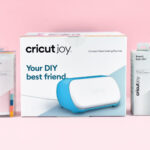
Unbox and Use Your Cricut Joy Cutting Machine
Little on size the Cricut Joy cutting machine isn't little on possibilities. Get ready to unbox and learn how to use your new Cricut Joy.
Cost -
Equipment
Instructions
- Open your Cricut Joy box and remove any packaging from the machine. Insert the power cord into the machine and plug into an outlet near your computer. Make sure your Joy is sitting on a flat surface.
- Create or locate a design to cut in Cricut Design Space.
- Cricut Joy has special materials that can be cut right off of the roll. If using one of these materials, load directly into your Cricut Joy machine.If using another material, adhere to a specially sized Cricut Joy cutting mat.

- Send the Cricut Design Space file to cut from your computer or device.

- Unload the project from your Joy and trim the design from the roll or remove from the cutting mat. Weed and apply as necessary.
